
Download UserWatch – AI-Powered User Behavior Analysis Tool for Web Optimization
Revolutionize UX Research with AI: Introducing UserWatch
In today’s fast-paced digital landscape, understanding how real users interact with your website is no longer optional—it’s essential. Enter UserWatch, an intelligent web application powered by advanced artificial intelligence to deliver deep, actionable insights into user behavior. Unlike traditional analytics tools that only provide numbers, UserWatch goes beyond metrics by analyzing actual user sessions, capturing every mouse movement, scroll depth, click pattern, and form abandonment. This allows product teams, UX researchers, and designers to uncover hidden friction points that could be silently sabotaging conversions and user satisfaction.
What sets UserWatch apart is its ability to automate what used to take hours of manual review. Instead of watching dozens of session recordings one by one, the AI engine processes vast amounts of user data in seconds, identifying recurring patterns and flagging problematic behaviors. For instance, if multiple users repeatedly click on a non-interactive element or abandon a form at the same step, UserWatch highlights these issues with precision. This level of automation not only saves time but also ensures consistency in analysis, reducing human bias.
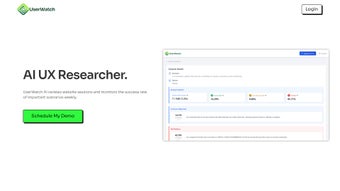
The platform’s intuitive insight table interface is a game-changer. It organizes findings into clear, trackable categories—such as session proof notations, behavioral changes after updates, and weekly session loads—making it easy for teams to monitor progress over time. Whether you're A/B testing a new design or rolling out a feature update, UserWatch provides a data-backed foundation for decision-making. With real-time updates and secure cloud-based storage, UserWatch ensures your insights are always current and protected.
Powerful Features That Drive Real UX Improvements
At the heart of UserWatch’s effectiveness lies its comprehensive suite of AI-driven features designed to transform raw user data into strategic insights. One of the standout capabilities is automated session recording analysis. The AI scans every session, detecting anomalies like excessive scrolling, repeated clicks, or hesitation at key decision points. This helps identify usability bottlenecks before they impact your bottom line.
Another critical feature is the interactive heatmap and scroll depth tracking. Unlike static heatmaps, UserWatch’s dynamic visualizations update in real time, showing where users actually engage with your content. This helps you determine whether your most important messages are being seen—or missed entirely. For example, if your call-to-action button is below the fold and users aren’t scrolling far enough, the tool will flag this issue with clear visual cues.
Form abandonment detection is another area where UserWatch excels. By analyzing where users drop off during multi-step processes, the tool identifies friction points—such as confusing fields or slow-loading pages—that may be causing cart or sign-up drop-offs. These insights are presented with contextual evidence, including session proof notations, so you can validate findings with actual user behavior.
Additionally, UserWatch supports weekly session updates, allowing teams to compare user behavior before and after website changes. This makes it ideal for continuous improvement cycles. Whether you’re optimizing a landing page or refining a checkout flow, the tool provides measurable, data-backed feedback to guide your next steps.
Key Features of UserWatch (itemprop="featureList")
- AI-powered session recording analysis with automated anomaly detection
- Interactive heatmaps and real-time scroll depth tracking
- Form abandonment detection with session proof notations
- Weekly session updates for tracking behavioral changes over time
- Intuitive insight table interface for easy data interpretation
- Secure cloud-based storage with enterprise-grade encryption
- Support for cross-platform access: Windows, Mac, Android, iOS
- Integration-ready for popular analytics and CRM platforms
Easy Installation & Seamless Usage Across Devices
Getting started with UserWatch is straightforward and requires no technical expertise. To begin, simply download the tool from the official website and install it on your preferred device—be it Windows, Mac, Android, or iOS. The lightweight installer ensures quick setup, and the app automatically syncs with your website’s tracking script once configured.
Once installed, the dashboard provides a clean, user-friendly interface where you can select the website you want to monitor. After enabling session recording, UserWatch begins collecting data immediately. The AI engine processes each session in real time, and within minutes, you’ll have access to detailed behavioral reports. The platform supports both real-time and historical data, so you can analyze past user behavior or monitor live sessions as they happen.
For teams, UserWatch offers role-based access and collaborative features. Team members can annotate findings, share insights via email or in-app messages, and assign tasks directly from the insight table. This streamlines communication and ensures everyone stays aligned on UX priorities. The mobile app, available for Android and iOS, allows you to review user behavior on the go, making it perfect for remote teams or on-the-move product managers.
Updates are pushed automatically, ensuring you always have access to the latest AI models and security patches. The software runs efficiently in the background, consuming minimal system resources, so it won’t slow down your device. Whether you're using a high-end desktop or a mid-tier tablet, UserWatch delivers consistent performance across all platforms.
Compatibility & Security: Built for Modern Workflows
UserWatch is designed with flexibility and security in mind. It supports Windows, Mac, Android, and iOS, making it accessible to teams across different operating systems. Whether you’re working from a corporate laptop, a personal tablet, or a smartphone, the tool adapts seamlessly to your workflow.
Security is a top priority. All user session data is encrypted both in transit and at rest, using industry-standard protocols. UserWatch complies with GDPR and CCPA regulations, ensuring your users’ privacy is protected. The platform also offers data retention controls, so you can define how long session recordings are stored—giving you full control over compliance.
Integration with popular tools like Google Analytics, Mixpanel, HubSpot, and Salesforce allows you to enrich your insights with additional context. For example, you can correlate high bounce rates with specific user segments or campaign sources, uncovering deeper patterns. The API is well-documented and developer-friendly, enabling custom integrations for advanced use cases.
With its scalable architecture, UserWatch is suitable for startups, mid-sized businesses, and enterprise organizations alike. The free version offers robust core features, while premium plans unlock advanced analytics, team collaboration tools, and priority support.
Pros and Cons: Is UserWatch Right for You?
Pros
- Automated AI analysis saves hours of manual session review
- Real-time insights into scroll depth, clicks, and form abandonment
- Intuitive interface with trackable behavioral changes over time
- Available on Windows, Mac, Android, and iOS with consistent UX
- Secure, compliant with GDPR and CCPA
- Free version offers strong core functionality
- Regular updates ensure cutting-edge AI models and performance
Cons
- Advanced features require a paid subscription
- May generate false positives in low-traffic websites
- Learning curve for users unfamiliar with UX analytics
- Limited customization in the free tier
Frequently Asked Questions (FAQ)
Is UserWatch free to download and use?
Yes, UserWatch offers a free version with core features like automated session analysis, heatmaps, and basic reporting. It’s ideal for small teams or individuals testing the tool. Premium plans unlock advanced features such as team collaboration, custom integrations, and priority support.
Can I use UserWatch on both Windows and Mac?
Absolutely. UserWatch is fully compatible with Windows and Mac operating systems. The desktop app provides a seamless experience across both platforms, with identical features and performance.
Does UserWatch work on mobile devices?
Yes, UserWatch offers native apps for Android and iOS, allowing you to monitor user behavior and review insights on the go. The mobile interface is optimized for touch and provides full access to your dashboard.
How secure is my user data with UserWatch?
UserWatch uses end-to-end encryption for all session data, ensuring privacy and compliance with GDPR and CCPA. Data is stored securely in the cloud with access controls, and you can configure retention policies to meet your organization’s standards.
Can I integrate UserWatch with my existing analytics tools?
Yes, UserWatch integrates with popular platforms like Google Analytics, Mixpanel, HubSpot, and Salesforce. The API is well-documented, enabling custom integrations for advanced workflows and data enrichment.
Final Verdict: A Must-Have Tool for UX Optimization
If you’re serious about improving your website’s user experience and increasing conversion rates, UserWatch is one of the most powerful tools available today. Its AI-driven analysis eliminates the guesswork in UX research, replacing subjective opinions with objective, data-backed insights. From identifying form drop-offs to optimizing content placement, UserWatch empowers teams to make smarter, faster decisions.
With seamless cross-platform support, robust security, and regular updates, it’s built for modern, agile teams. Whether you’re a solo entrepreneur or part of a large product team, the free version offers tremendous value. For those needing advanced features, the paid plans deliver excellent ROI through improved user satisfaction and higher conversion rates.
Download UserWatch today and start transforming how you understand your users. Unlock the power of AI to build websites that truly work for your audience.



.png)



